
From download to your first useful receipt view.
Belegant turns receipts into organized, searchable purchase data, reveals price and spending changes, and lets people explore their purchases with AI.
The guide reflects the current Belegant application. Public downloads remain closed until the macOS and Windows installers are signed and verified.
Before installing
Use the official Belegant download page. It will provide the correct signed installer when public downloads open. Do not treat an unsigned development build as a customer release.
- macOS Apple silicon: Belegant-<version>-macos-arm64.dmg
- macOS Intel, when offered: Belegant-<version>-macos-x64.dmg
- Windows 64-bit: Belegant-<version>-windows-x64.exe or .msi
The current supported targets are macOS on Apple silicon or Intel and 64-bit Windows 11. An internet connection is needed for download, account and licence checks, updates, and optional AI features.
Install Belegant
macOS
- Download the DMG that matches your Mac.
- Open the DMG and place Belegant in Applications.
- Open Belegant from Applications and confirm that the publisher and signature are valid.
Windows
- Download the 64-bit Belegant installer.
- Open it and follow the installation steps.
- Launch Belegant from the Start menu and confirm that Windows shows the expected publisher.
Complete the first start
- Sign in and activate the plan connected to your account. The available plans are Free, Standard, and Max.
- Choose the folder where new receipt images or PDFs arrive.
- Review the privacy choices before enabling optional AI features.
- Import a few receipts and let Belegant organize the stores, products, totals, and dates.
- Use the guided tour or reopen it under Settings → General → Onboarding.
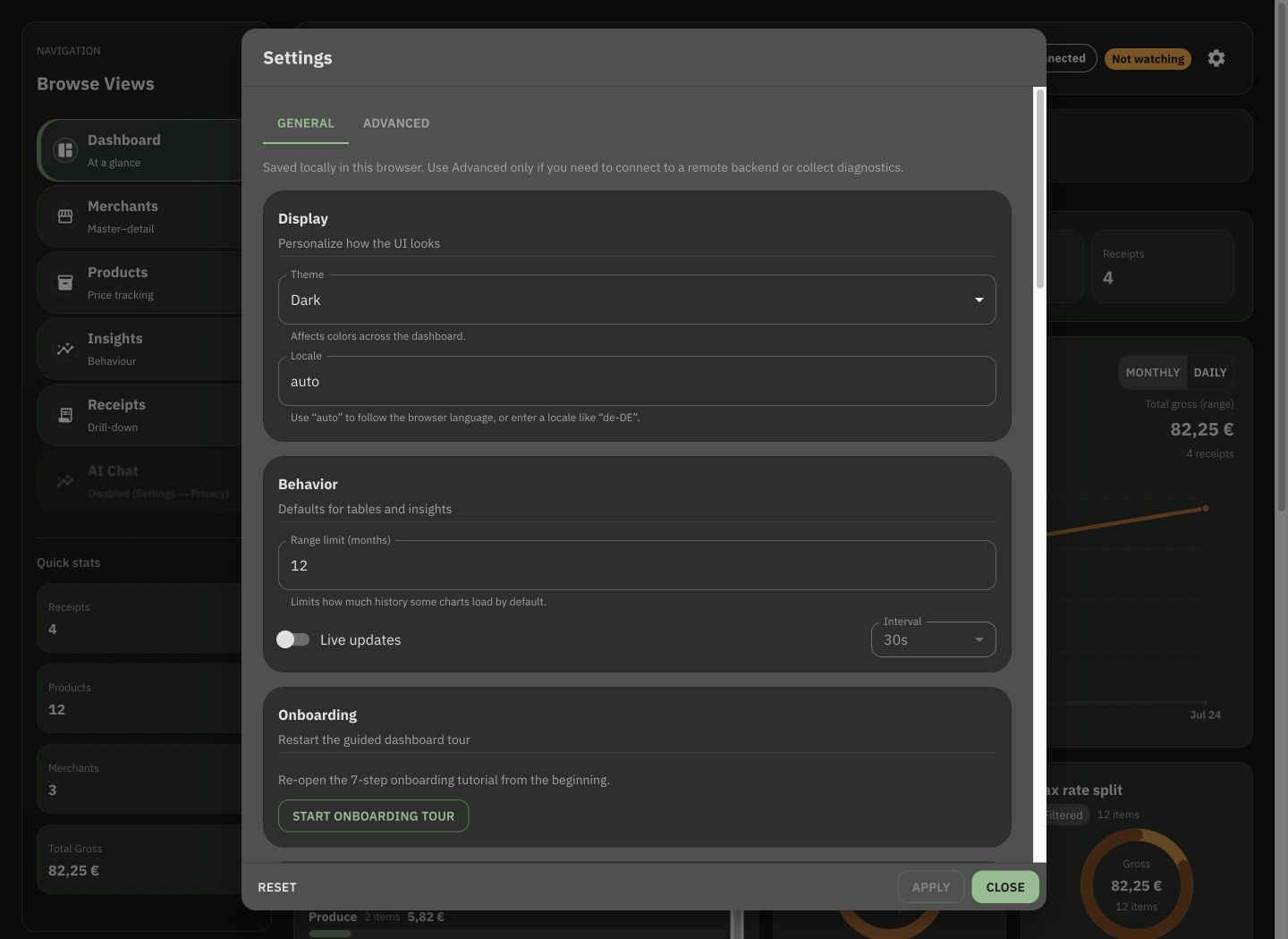
Current Belegant 0.1.0 preview, captured on 19 July 2026 with deterministic example data.
Explore your receipts
Start on the dashboard, then open Receipts, Merchants, Products, or Insights. Change the time period when older receipts fall outside the default view. AI Chat remains optional and can be disabled in the privacy settings.
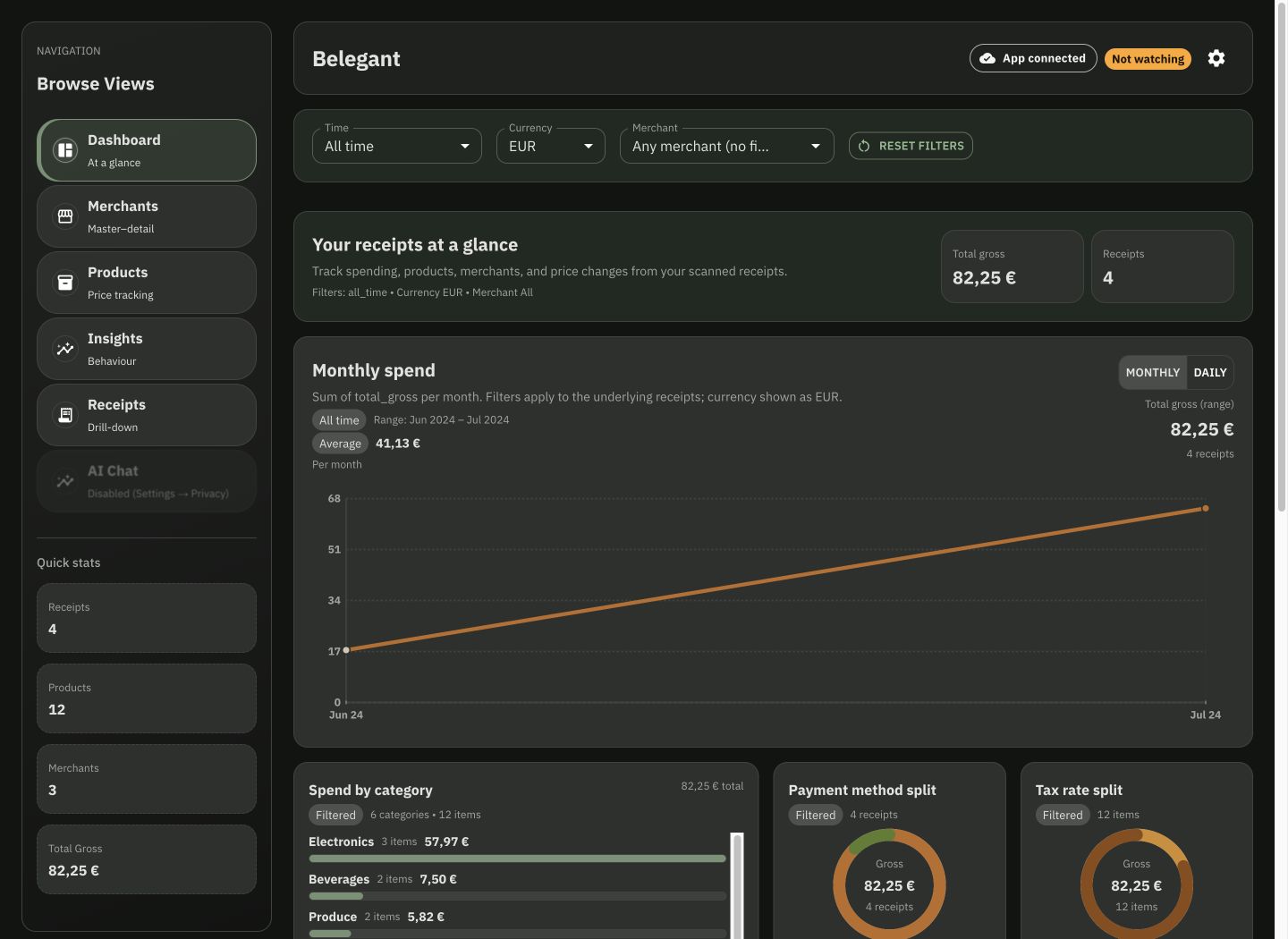
The screenshot contains deterministic example purchases rather than customer data.
Updates and release notes
Open Settings → About to check the installed version, request an update check, and read What’s new. Stable releases only follow the stable update channel; beta and development releases require an intentional preview build.
- Belegant is now the consistent application, installer, download, and support identity.
- The current preview includes receipt dashboards, guided onboarding, scan-folder setup, account and licence surfaces, and privacy controls.
- 0.1.0 is not yet a signed public release. Public release notes will be updated when verified installers become available.
Get help safely
Email support@belegant.app in English or German. Include your operating system, Belegant version, what you expected, and the exact error. Remove receipt contents, licence keys, account links, and other personal information before sending diagnostics.
For licence recovery, sign in with the original account and choose Settings → License → Validate now. A same-machine reinstall normally keeps the device identity. If you changed devices or validation still fails, use the licence-recovery email below so support can verify the account and release the obsolete activation.